 cyclikal.dev
This Week in Matrix (TWIM) Godot Matrix RTC
Update 2026-02-17: The TWIM for this week is now live, it’s kinda weird to see an entry I made on there - you can check it out at this link.
After a nudge, I’ve just posted in the #twim:matrix.org room an update about Godot Matrix RTC! 🎉
For prosperity, you can read the entry (which is generously being listed under Dept of Interesting Projects) below:
Godot Matrix RTC
tl;dr Try out a new Godot Plugin that makes in-room multiplayer gaming / collaboration via widgets (by using MatrixRTC) easy!
Interested? Visit the repo at cyclikal94/godot-matrix-rtc, install via the Godot Asset Library and if you want some help, you can chat about MatrixRTC over in #webrtc:matrix.org.
This week I finished godot-matrix-rtc, a Godot plugin and sample project that makes it easier to get started using MatrixRTC in games and widgets created using Godot.
Simply install the plugin and you’ll have everything you need to make the next Flappy Bird (but in Matrix!).
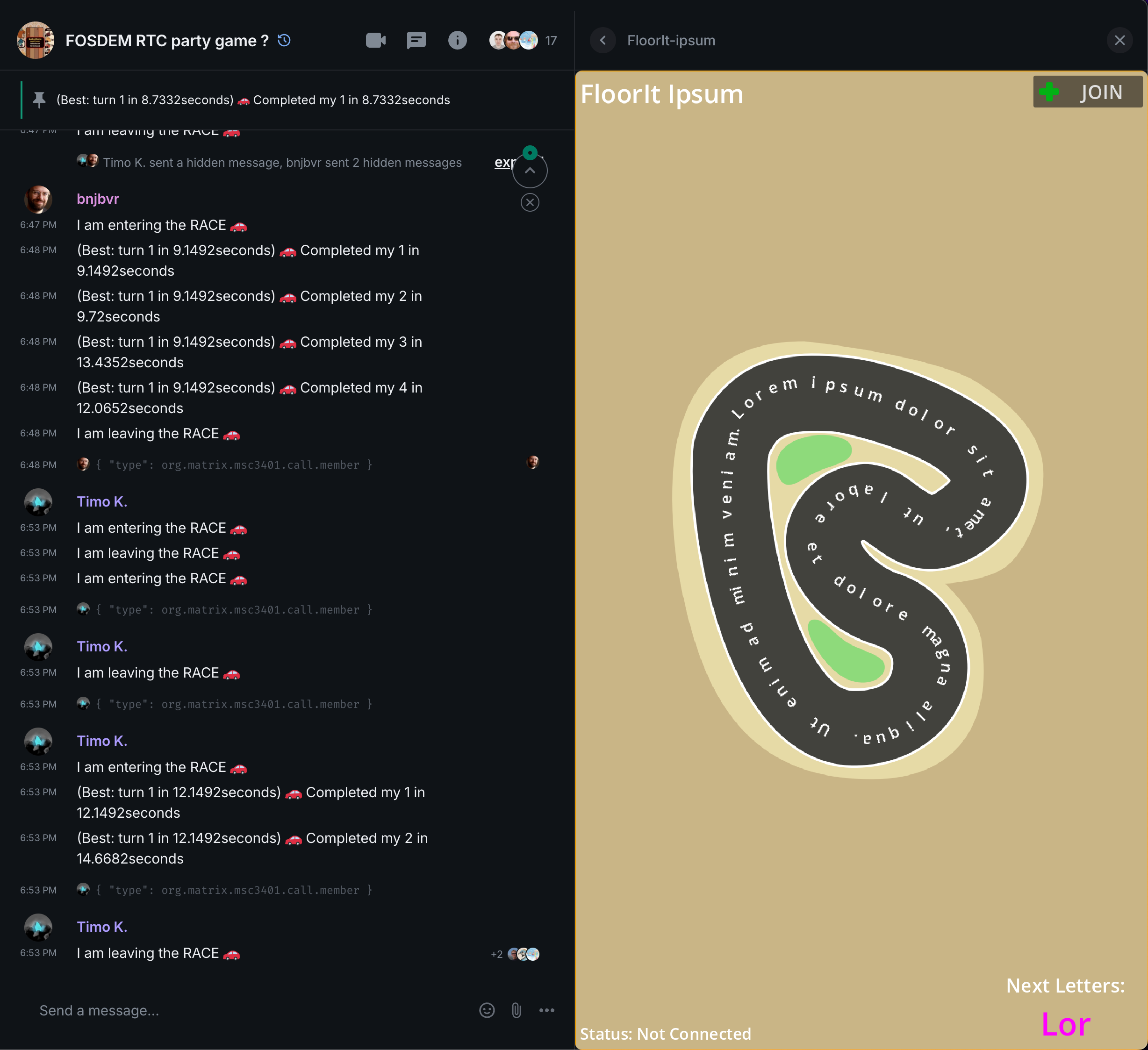
Following the FOSDEM’26 MatrixRTC x Godot - A Battle Royale talk, I initially started this project as a UI update to @toger5’s Godot-MatrixRTC-Keyboard-Kart project, aka FloorIt Ipsum.
The aim was to make it cleanly adapt to different widget sizes and orientations, however this evolved into a separate reusable plugin bringing the Join/Leave UI and Logic into the Godot project.
Details
The plugin adds a GodotMatrixRTC node to Godot which can be used to send/receive data from the RTC session, allowing multiplayer gameplay through a widget added to your room.
Once enabled, the plugin will set up a specific Export Preset and an EditorExportPlugin automatically includes the pre-requisite Element Call SDK dist so all you need to do is export your project, then deploy somewhere. No cloning or yarn build:sdk required!
Setup in 30 seconds… Let’s go! 🏁
Now all you have to do is build a game… but so far as multiplayer goes, it’s as simple as:
- Sending relevant local player game data with
godot_matrix_rtc.update_own_data(data: Dictionary) - Actioning remote player game data received via a Signal
godot_matrix_rtc.connect("data_change", on_data_update) - Handling players leaving and joining via a Signal
godot_matrix_rtc.connect("member_change", on_rtc_member_update)
Once you have exported, simply deploy, then configure a widget in your room like so:
/addwidget https://example.com/GodotMatrixRTC.html?widgetId=$matrix_widget_id&perParticipantE2EE=true&userId=$matrix_user_id&deviceId=$org.matrix.msc3819.matrix_device_id&baseUrl=$org.matrix.msc4039.matrix_base_url&roomId=$matrix_room_id
Want to play now?
Simply add FloorIt Ipsum to your room to test your typing skills and prove your prowess as the faster typer on the track!
/addwidget https://godot-matrix-rtc-letter-cars-widget.netlify.app/webapptest?widgetId=$matrix_widget_id&perParticipantE2EE=true&userId=$matrix_user_id&deviceId=$org.matrix.msc3819.matrix_device_id&baseUrl=$org.matrix.msc4039.matrix_base_url&roomId=$matrix_room_id